Use Cases
How to Never Miss a Bill Payment Again
Most people don't miss bill payments because they can't afford them.
They miss them because life gets in the way.
You meant to pay the electric bill. You remembered it at 11pm while washing dishes. You told yourself you'd do it in the morning. Then the morning happened — school drop-off, a work call that ran long, lunch at your desk — and the bill never crossed your mind again until the late fee showed up on next month's statement.
This isn't a memory problem. It's a system problem.
Why Relying on Your Brain Doesn't Work
Your brain is not a calendar. It's exceptionally good at creative thinking, pattern recognition, and handling unexpected situations. It is genuinely bad at reliably surfacing a specific thought at a specific time on a specific day.
When you mentally note "I need to pay the water bill on the 15th," you're asking your brain to do something it wasn't built for. The thought competes with hundreds of other thoughts — meetings, grocery lists, conversations, things you're worried about, things you're looking forward to.
Most of the time, the bill loses.
The Problem With Most Reminder Systems
Calendar apps work in theory. In practice, most people have dozens of calendar notifications firing throughout the day. After a while, those notifications become background noise. You dismiss them without reading them. The bill doesn't get paid.
Sticky notes get covered by other sticky notes. Phone alarms get snoozed indefinitely. Email reminders get buried under everything else in your inbox.
The reminder system only works if you actually stop and act on it.
A Better Approach: SMS Reminders
Text messages have a 98% open rate. You read almost every text you receive, usually within a few minutes.
That's why texting yourself a bill reminder — or having a service send one to you — is one of the most effective systems available.
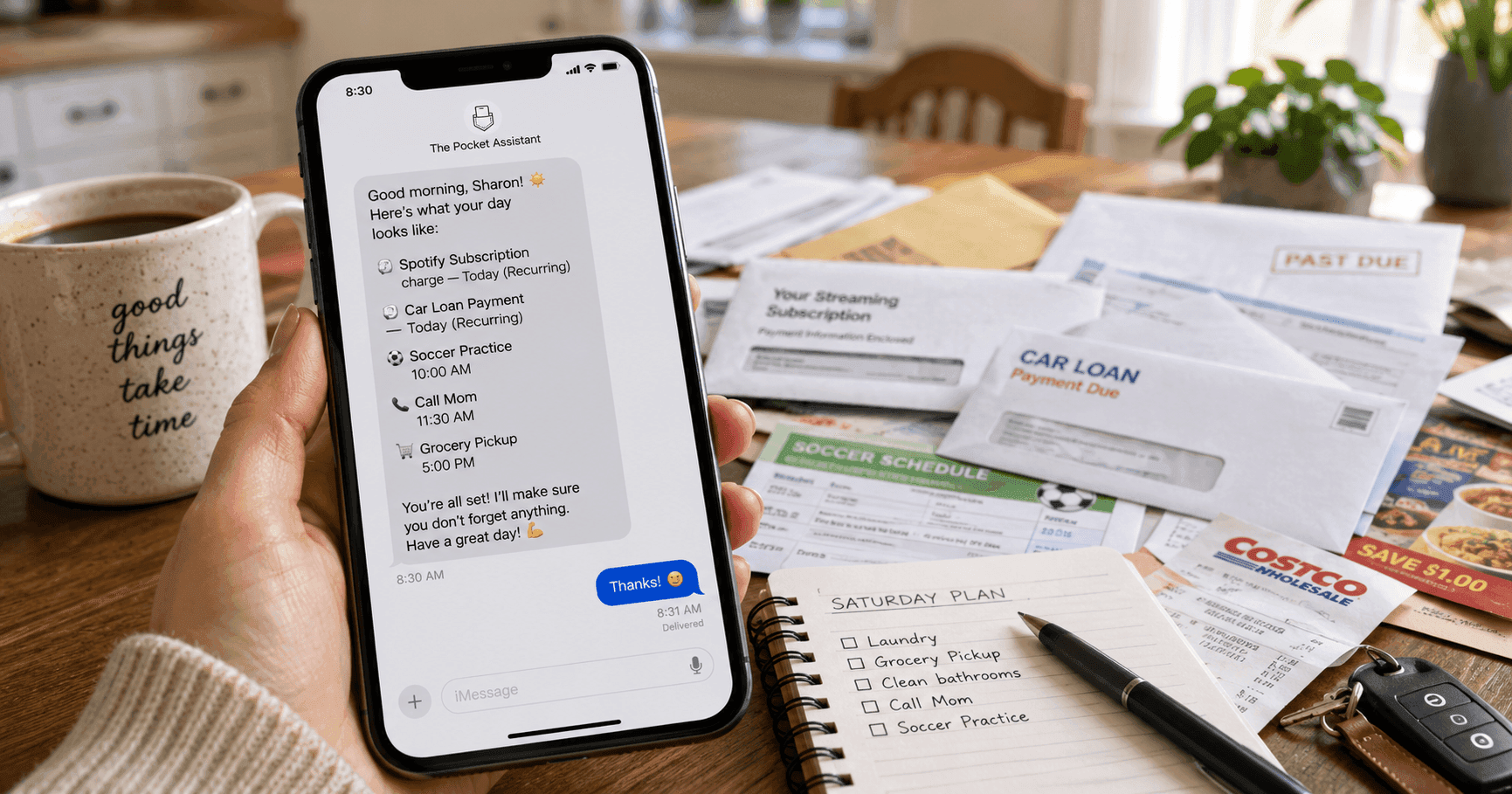
Here's how it works with The Pocket Assistant:
- You text: "Remind me on the 12th to pay the electric bill"
- On the 12th, you get a morning heads-up: "Heads up: pay the electric bill today"
- You also get a reminder an hour before end of business so nothing slips
No app to open. No calendar to maintain. Just a text when you need it.
Every Bill You Should Be Tracking
Here's a starter list of bills that are easy to forget:
- Rent or mortgage — easy to automate, but worth a backup reminder
- Electric and gas — amounts vary, so autopay isn't always ideal
- Water and sewage — often quarterly, which is why people forget
- Internet and cable — monthly, but easy to lose track of
- Cell phone — especially if you pay manually
- Credit cards — missing even one payment affects your credit score
- Car insurance — often semi-annual, easy to forget
- Renters or homeowners insurance — same
- Vehicle registration — annual, almost everyone forgets
- HOA fees — quarterly or annual depending on your association
- Subscriptions — streaming services, software, gym memberships
- Estimated taxes — if you're self-employed, these are quarterly
The Real Cost of Forgetting
Late fees range from $25 to $50 per missed payment for most utility companies. Credit card late fees can reach $40. Miss a car insurance payment and your policy can lapse — leaving you exposed if you have an accident.
Beyond the financial cost, there's the mental cost. The low-grade anxiety of not being sure whether you've paid something. The scramble when you realize you haven't. The time spent sorting it out.
A reliable reminder system eliminates all of that.
Setting It Up
The easiest way to get started is to go through last month's bank statement and identify every recurring payment. For each one, note:
- What it is
- When it's due
- Whether it's on autopay
For anything that's not on autopay — or that you want a backup reminder for — set a reminder 3 to 5 days before the due date. That gives you time to log in, transfer funds, or handle any issues before you're actually late.
With The Pocket Assistant, you can set all of these up by texting in plain English:
"Remind me every month on the 10th to pay the water bill"
"Remind me on June 20th and every 6 months after to pay car insurance"
"Remind me on the 28th to check my credit card balance"
The reminders go straight to your phone. No app, no account dashboard to manage, no notification settings to configure.
FAQ
What if my bill due dates change? Just text an update: "Change my water bill reminder to the 15th." It takes about 10 seconds.
What if I'm already on autopay for everything? Autopay is great, but it doesn't protect you from insufficient funds, expired cards, or billing errors. A reminder to check your account balance a few days before bill dates catches those issues before they become problems.
How is this different from setting phone alarms? Phone alarms don't have context. When an alarm fires, you have to remember what it was for and whether you need to act on it. An SMS reminder tells you exactly what to do: "Pay the electric bill today." There's no guesswork.
Stop paying late fees. Start your 30-day free trial and set your first bill reminder in the next 5 minutes.
Ready to stop forgetting?
Start your 10-day free trial. Set your first reminder in the next 5 minutes.
Start Free Trial →